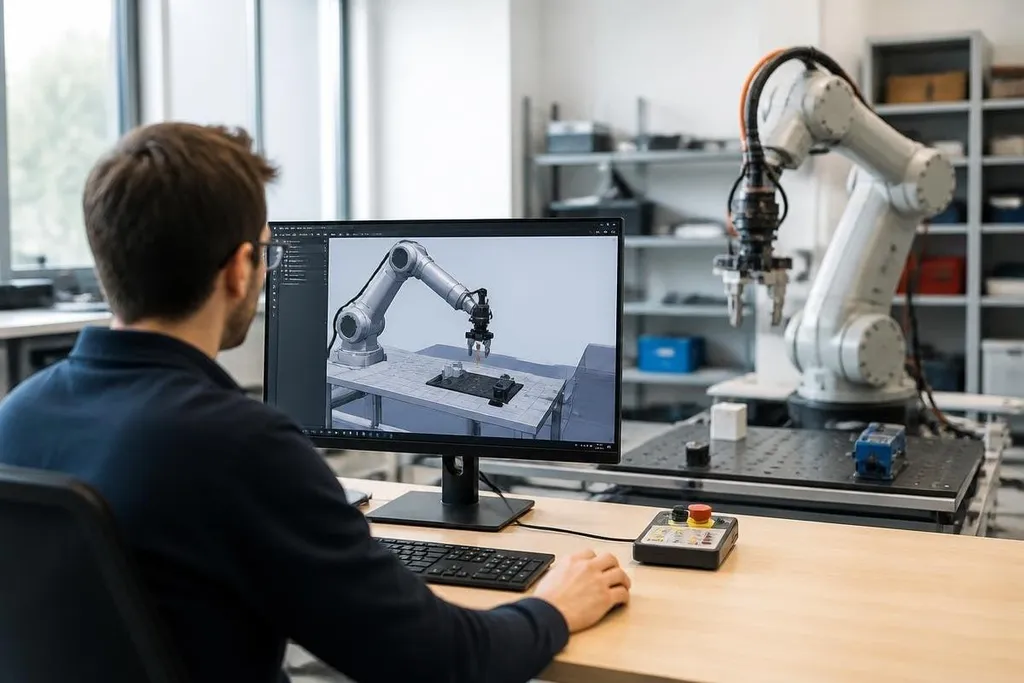
A physical robot learns through movement, and movement can break parts, damage stock, or hurt someone nearby. Simulation lets engineers test those actions inside software before sending commands to a real machine.
The method matters most when a robot must repeat a task many times, react to changing objects, or learn from mistakes that would be costly in a lab.
- Simulation tests robot actions before hardware runs them.
- Sensor noise and changing layouts make virtual training closer to physical work.
- A final test on the real robot is still required.
What the simulator copies
A robot simulator builds a virtual version of the robot, its surroundings, and the rules that control motion. The software models joints, motors, links, collision shapes, cameras, depth sensors, and contact with the floor or an object.
That model gives the training system a place to try an action. A robot arm might move toward a box, close its gripper, and lift.
The simulator checks whether the box stays in the gripper, whether the arm hits a nearby surface, and whether the motion uses more force than the joint can handle.
The result is data. A training system can compare many attempts and keep the actions that move the robot closer to its task. In reinforcement learning, the system gets a score for a useful result, such as placing an object in the correct bin, and a lower score for a failed move.
This process can run without wearing out a motor or waiting for a technician to reset the work area. It also makes repeatable tests possible, since engineers can run the same task again after changing one setting.
Why the virtual world is never enough
A simulator is a model, not the factory floor. Its version of friction may differ from the real surface. A camera model may produce cleaner images than a dusty lens. A box may have a fixed weight in software while real boxes vary from one shipment to the next.
Those gaps create the sim-to-real problem. A policy, meaning the software that chooses the robot's next action, may work well in simulation and fail when the physical robot meets glare, loose cables, soft packaging, or a floor that is slightly uneven.
Engineers reduce the gap by changing the virtual test conditions. They can vary lighting, object size, surface friction, sensor noise, joint strength, and starting position. This practice is called domain randomization. The robot sees many versions of a task, so its control software has less reason to depend on one perfect setup.
The changes must still match the job. Random settings that have no connection to the factory can make training harder without teaching the robot anything useful.
A training run earns trust when its settings reflect the robot’s real job. Robot24.com reporting on robot training can tie a software test to a named machine, task, and result before the next section looks at time saved.
Where simulation saves time
Simulation is useful before a robot arrives, while engineers tune a task, and after a change to the work area. A team can test a new shelf height or gripper path in software before moving equipment on the floor.
It can also test rare events. A virtual robot can face a dropped object, a blocked route, or a sensor that stops sending data. Physical tests still matter, but simulation gives engineers a safer place to check the first response.
For a fleet, the same virtual task can run across many robot copies. That helps engineers compare control settings and find failure cases before a rollout. The software must still account for the limits of the real motors, batteries, sensors, and safety systems.
What to check before trusting the result
The useful question is not whether a robot passed a virtual test. It is whether the test copied the parts of the job that cause failure.
Use this checklist when reviewing a simulation-based training plan:
- Match the hardware: check joint limits, motor speed, payload, sensor position, and gripper shape.
- Vary the scene: change object placement, lighting, friction, and background clutter.
- Add sensor faults: test noise, missing data, glare, and blocked views.
- Measure the same task: use the same success rule in software and on the physical robot.
- Test recovery: record what happens after a dropped object, blocked path, or failed grasp.
- Keep a safety boundary: run low-speed physical checks before normal operation.
I'd trust simulation as a training tool, not as proof that a robot is ready for work. The last test must happen on the real machine, with the real objects and the real safety limits in place.
The next useful step is a closed loop: simulate a task, run a controlled physical test, compare the errors, and update the model before the robot takes on more work.